We get asked this a lot, usually with some suspicion. Free tiers are normally a demo with the useful parts removed. This one isn’t.
The free version of Act On It gives you three notification types, live at once, for up to 1,000 users. That’s the only limit. It doesn’t expire, nothing is greyed out, and you don’t need a card.
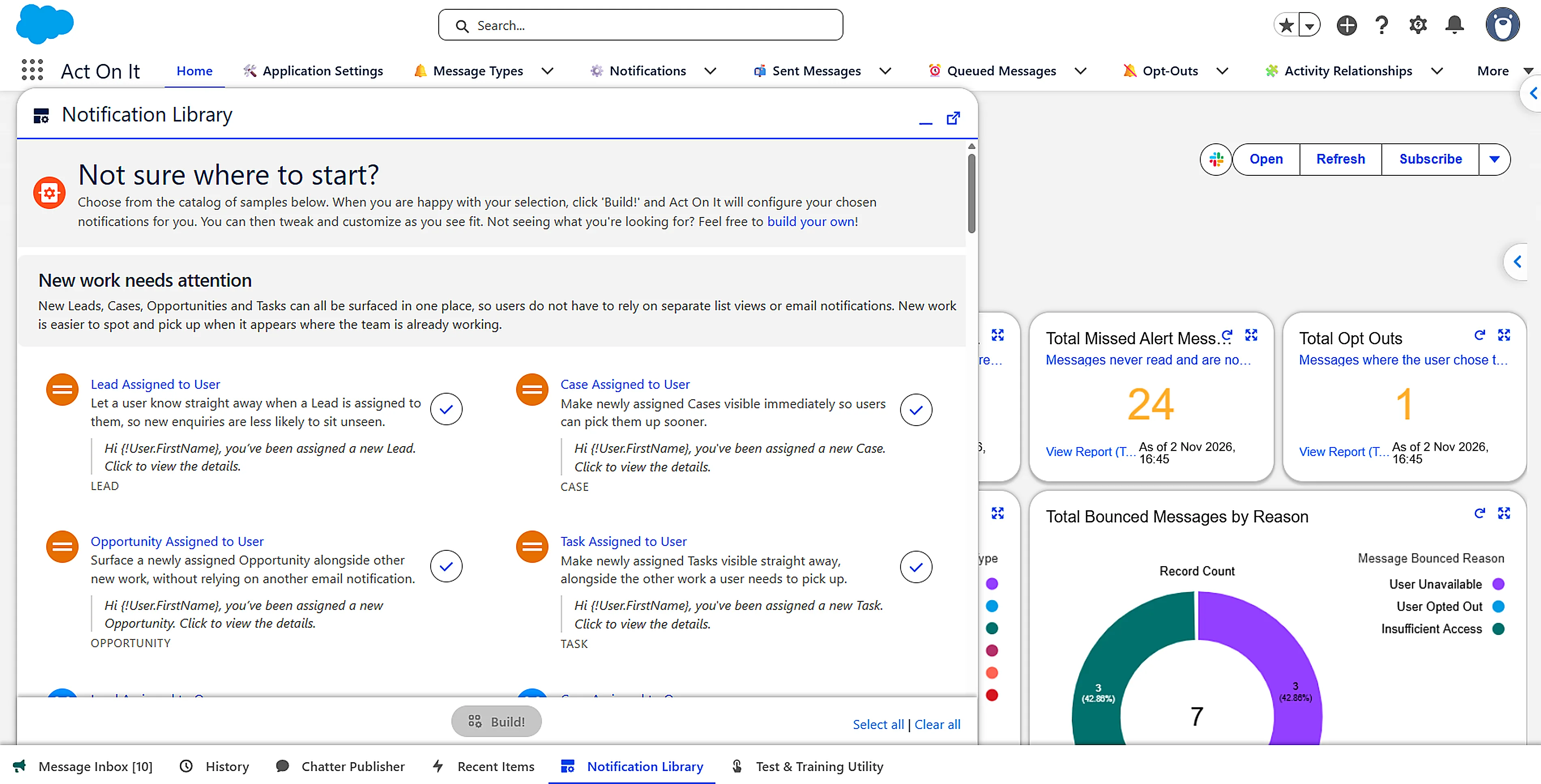
A notification type is one thing you want people told about, such as a case getting close to its response time. Each one sends as many alerts as it needs, to as many people as it needs.
What you could use it for
Anything in Salesforce, on any object, standard or custom. There are three kinds of alert, and you can mix them:
- The moment something happens. A client opens the quote you sent. A priority case arrives. A big deal closes.
- When something hasn’t happened. The lead nobody has called. The approval that has sat with someone for a week. The renewal sixty days out with no owner.
- On the record itself. Prompts that change as the record does. A warning when a discount goes over the limit, the next step at each stage, a quick link to the form people always need.
Who could use it
That’s up to you. A few ideas:
A rep could hear when a client opens a quote, while they’re still reading it, and get a nudge the morning a follow-up is due.
A service agent could see a case getting close to the response time you promised, with the button to take it.
A manager could hear about what’s stuck: the deal that’s gone quiet, the approval waiting on them, the case nobody picked up. No going looking.
Other teams could hear when something lands with them. Finance when a deal closes. Onboarding when a contract is signed.
An admin could hear about the things they would otherwise have to go and find. An error in the system logs. A change request from a team. A task they promised to finish. A team skipping a step in the process. It’s an adoption dashboard turned outwards: if people don’t come to Salesforce, Salesforce comes to them.
Whoever it is, they get one inbox, showing what needs them and the button to deal with it.
What’s included
The same product the paid plans get:
- The full alert builder, point and click, no code
- Event-based alerts, and scheduled checks for things that haven’t happened
- Delivery to the inbox, record pages, email and mobile push
- Actions on the alert, so the job is finished without opening the record
- Snooze, close and save, and the reporting behind them
- Flow integration, for triggering and closing alerts from your own automation
- Support from the people who build it
Paid plans add unlimited notification types.
Why it’s free
Software is easier to judge in your own org, on your own records, with your own colleagues, than in a demo. Three notification types is enough to find out whether the thing that kept slipping stops slipping. If it doesn’t, you’ve lost an afternoon rather than a budget.
It also puts Act On It in front of the people who use it every day, and they shape it. Most of the inbox, from snoozing to filtering to clearing what’s done, came from their requests.
What would you point it at next?
Your three notification types are yours to keep, for as long as you want them. You’re welcome to stop there.
But think back over the past year. The “can you let me know when…” requests. The email alerts sent to a shared inbox. The reports people subscribe to and never open. Each of those could be a notification type, for whichever team asked.
When you want more than three, you can buy licences yourself through the AgentExchange checkout, monthly or annually, and add or remove them whenever you need to. For a larger rollout, a capacity plan covers a set number of users for a year. You can see all the prices on the pricing page.
Questions people ask
Does the free plan of Act On It expire?
No. It isn't a trial. Your three notification types keep running for as long as you want them.
Do sandbox notifications count towards the limit?
No. Sandbox and Developer Edition orgs are not limited. You can build and test as many notifications as you like before choosing which three go live in production.
What happens to my setup if I upgrade?
Nothing changes. Everything you build stays in your Salesforce org, whichever plan you are on.